
SparkyInvoices is open: bill it, get paid
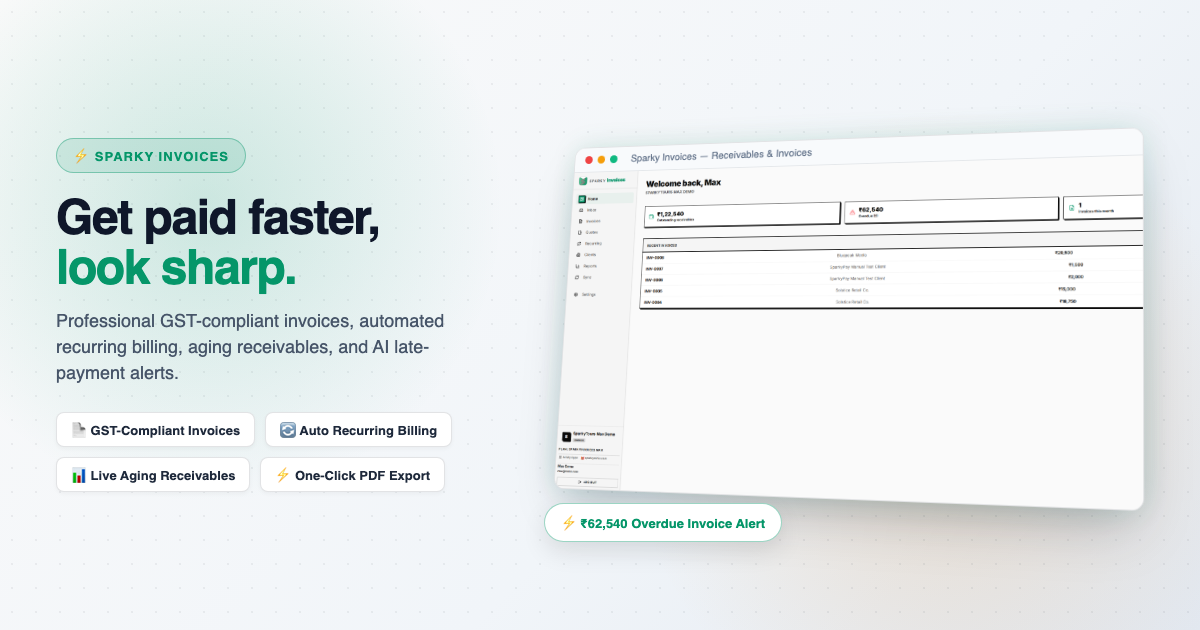
Most invoicing gets done late, on a Sunday, from three different places: hours in one app, receipts in another, the client's details in a third. SparkyInvoices is built for that Sunday.
The basics, done properly
Draft, send and track invoices from draft to sent to paid, with line items, tax rates, and partial or full payments recorded against each invoice. Every invoice carries HSN or SAC codes and a snapshot of your GSTIN, in the format Indian tax compliance expects. It renders as a proper letterhead document with your business name, address and registration details, ready to print or save.
You can price a job as a quote first, share it by link, WhatsApp or your own email app, mark whether it was accepted, and turn an accepted quote into an invoice. Numbering is yours: your prefix, your next number, and a count that restarts each financial year.
Less chasing
Recurring invoices generate on a monthly or quarterly schedule. If you turn on auto-approve and send, a due template creates the invoice, marks it sent and emails your client without anyone clicking. Overdue invoices are chased automatically until they are paid, and you can switch that off. A credit or debit note corrects a sent invoice and refers back to it.
Getting paid
Connect your own Razorpay account in Settings, try it in test mode first, and your clients can pay an invoice online. The money settles straight to you, the invoice is marked paid once Razorpay confirms the payment, and your client gets a receipt by email. Razorpay is the only gateway today.
Where the invoice comes from
Picture a solo consultant at the end of the month. Her hours are in SparkyProjects and her client expenses are in SparkyExpenses. In SparkyInvoices she pulls the unbilled time and the billable expenses straight in as line items. Each pulled item is marked billed at the source, so it cannot be billed twice. Her client list can come from SparkyContacts the same way.
We run on this ourselves. The invoices we send come from SparkyInvoices, with the hours from SparkyProjects and the spend from SparkyExpenses, and the clients come from SparkyContacts.
For overseas travel packages there is also a tax-collected-at-source register, which matters if you run tours.
There is an AI feature that drafts an overdue-payment reminder for each invoice. You read it and decide before it goes anywhere.
Everyone starts on the free Lite plan, no card needed. Paid plans upgrade a whole suite on one subscription, so you manage it in one place. What each plan includes is on the pricing page.
See everything on the SparkyInvoices features page.
This post is part of our launch series, one Sparky product at a time. The rest of the series is on the newsletter page.
